

We look at the Top Best 10 Key Features to look for in Mobile Shop Management Software. It’s a lot more than just selling mobile phones and accessories in a mobile shop. In this day and age, where everything moves at the speed of light, it is that very reason for you to get a mobile shop management software. Further it makes operations easier, makes customer service more efficient and adds up to a better run business. So how do you choose the right one? Also, here are 10 key features which you must look for, when you are trying to make a decision about mobile shop management software. 1. User-Friendly Interface User friendly mobile shop management ensures that you as well as the staff can easily maneuver and use the software. Complex software wastes time and causes errors. Choose software with a simple layout and straightforward instructions and easy to understand features. The less difficult the software is to use the less time you will spend training your team. 2. Inventory Management For any mobile shop, managing stock effectively is pretty crucial. It should also provide you with the real time inventory tracking of phones, accessories and other items. Stock levels should trigger alerts when the stock is low and it should also be capable of generating reports so that you can do analysis on sales trends. Through this feature, you will not run out of popular items and you can minimize the risk of overstocking. 3. CRM stands for Customer Relationship Management. Mobile shops are important in use of software that can enhance customer relationship. Customer details, purchase history and preferences can be stored on a built in CRM feature. It offers personalized services, reminders on new offer and also builds loyalty. Where satisfied customers are more likely to return, and more likely to recommend your shop. 4. Sales and Billing Everything needs to be efficient. You need efficient sales and billing processes. The software should be capable of creating quick as well as accurate invoices and should have multiple payment options; must seamlessly integrate with the POS (Point of Sale) systems. Automation of billing cuts down errors and makes the whole process of checkout smooth and quick for customer service. 5. Reporting and Analytics If you don’t understand your business performance – you are at risk. Also, sales, profits, inventory and customer behavior should be detailed reported and analytics to achieve a truly optimized shop and customer experience. Insights from these points help you act intelligently and make decisions with greater confidence, enable you to discover new opportunities, and address issues immediately. 6. Warranty and Repair Tracking Warranty claims and repair services are typical of mobile shops. What the software should aid you in is tracking of warranties, repair order managements, and alerts to customers with respect to when the devices are ready for pickup. This facilitates the work of repairs and solves the problem of a happy customer. 7. Multi-Store Management Also if you own multiple shops, managing all of them at once can be difficult business. Choose software that backs multi store management. It should, of course, make it easy for you to measure sales, inventory, and the performance of your employees across all locations from a single dashboard. This is a time saver and a guarantee for consistent operations. 8. Online Integration The digital age requires an online presence. Select for the mobile shop software which can be incorporated with your online store or e commerce website. With this you are able to seamlessly manage your online and offline sales and expand your reach and increase your revenue. 9. Employee Management Monitoring employees performance and taking control of shifts can be boring. There should be features in the software to monitor attendance, assign tasks and to evaluate productivity. It keeps your team organized and focused. 10. Security and Data Backup Your data is invaluable to your business. Make sure software has great security features that protect your sensitive data. Automatic data backup features are equally important in order to protect yourself from system failures from which data loss can occur. And so, why do Mobile Shop Owners Require This Software? To put it mildly, the importance of software for mobile shops can’t be overstated. You save time, avoid manual errors and you will remain ahead of the competition. The right software helps you to grow your business and worry less about running day to day operations. Conclusion If you’re choosing mobile shop management software, ensure you select it based on features that best fit your business. Businesses that have the right software running are more efficient, offer better satisfaction to customers and are more profitable. The additional benefit of investing in mobile shop management software is that you’re de facto setting yourself up for long term success.

Stock management software is incredibly important for business growth.
Stock management software is incredibly important for business growth. In today’s business world, success is highly dependent on making sure we have the available inventory to sell. Stock Management Software is a game changer when it comes to running a business, as it helps streamline operations and helps them grow their profits. In this article we discuss the seven compelling reasons why your business needs strong stock management systems. 1. Real-Time Inventory Tracking The real time data provided by Stock Management Software helps businesses keep a track of stock movement online, instantly. It improves the chances that the stock will not run out and the stock-up will not occur, therefore the inventory is optimal. Furthermore, businesses can practice real time tracking to observe sales trends, seasonal demands, and product performance in order to make proactive decision. 2. More accurate and less errors. Errors generated from manual inventory tracking can seriously disrupt operations. An automated inventory program gets rid of the manual error and gives accurate data to make informed decisions. Further, as the bar-code scanning and RFID technology is integrated, the input accuracy is boosted to reduce human error, and stock audits are simplified. 3. Improved Order Management By employing effective inventory control software, companies can fully automate their order processing, thus avoiding delays, and making sure timely deliveries. All of these adds up to greater customer satisfaction and loyalty. Popular items are in stock thanks to automated reorder points and alerts that help prevent missed sales opportunities and help maximize overall customer experience. 4. Cost Reduction Optimizing inventory levels and reducing manual tasks helps reduce operational costs greatly by using the stock management software. Slow moving products can be detected by businesses for them to reconfigure procurement strategies. In addition, there are reduced storage costs and obsolete costs which, result in overall cost reduction and allowing better allocation of the resources. 5. Better Demand Forecasting Advanced stock management systems use historical selling data to predict future selling. However, this feature helps businesses in making data driven decisions about purchases such as stock management to avoid stock shortages, and excess inventory. It also helps businesses to plan for the peak seasons promotional events and meet customers’ demands without over stocking. 6. The seamless integration with other systems. Today, this modern stock management software can readily integrate itself with accounting, sales and CRM systems. Our team work effortlessly for improving the efficiency of your departments and their data flow is a smooth one. Real time integration with e commerce platforms which allows for real time inventory updates across various sales channels, so you know you aren’t overselling and that customers are happy. 7. Scalability and Business Growth is the first thing The inventory management becomes complex when business expands. Scale is the magic of stock management solutions, they adapt to growth while maintaining the same efficiency. Due to this they are perfect from all sizes of businesses. Scale-able software grows with your business, adapting to your changing needs will a single warehouse or many distribution centers. Along with all these features there are some more benefits of stock management software. Apart from the benefits of real time data to stock management, software implementation also improves on supplier relationship management. Keeping good records of supplier performance and lead times will help a business to negotiate good terms and replenish on time. Moreover, it includes extensive reporting tools that will help you obtain inventory turnover rates so that you can decide on what products are profitable and what’s not. Selecting the Best Stock Management Software. When choosing a stock management solution, you should look at features such as real time tracking, integration and scalability. With tailored inventory control software, Rolt.store provides solutions for various business needs for stock management and smooth running of business. Compare and choose software options based on how user friendly it is, the customer support it offers and customization it offers, for your business. Final Thoughts Medstock Solutions: A Beautiful Solution or a Foolish Expectation? Photo courtesy of NASA Use of stock management software is not an option anymore, it’s essential. The right solution can do so much — from customer satisfaction to reduced costs. Discover how Rolt.store’s advanced inventory program can help you run more smoothly and stay ahead of the game in a competitive market. Through innovative stock management solutions businesses can gain operational excellence, modification to the market changes and achievement of the long term success. Leave a Reply Cancel reply Logged in as Rolt. Edit your profile. Log out? Required fields are marked * Message*

10 Best Ways for Business Success relies on Inventory and Order Management Software
Why Should Mobile Repair Shops Implement a Digital POS System to Service and Repair The managing of inventory and orders is important in managing a company. With inventory and order management software you can streamline your operations, save time and increase profits. This blog explains the reasons why your business needs this software as well as how it can assist you. 1. Better Inventory Control The inventory and order management software accurately keep track of products. It allows percentages of stock levels to check in real time, to avoid overstocking or stock out. Secondly, this software can do effectively as an inventory control software to control product movement. Features like bar-code scanning and automatic alerts mean that businesses don’t need to pay the price for stock errors. 2. Streamlined Order Processing This software makes order processing faster and error free. Tasks like order tacking, invoicing and shipping are automated, guaranteeing customers have their products when they need them. An inventory management system is designed to manage complex orders so businesses can rely on it. That automates this process and removes manual errors, which lead to customer dissatisfaction. 3. Real-Time Data and Reports To make more smart decisions, we need real time data. Inventory and order management software enables businesses access to real-time reports on sales, stock levels and order status. Detailed analytic provides forecast for demand, handles seasonal sales and identifies which products are being sold best. It helps with better planning and strategy. 4. Reduced Operational Costs This can result in costly errors, however, with manual inventory management. Using this software, inventory tasks are automated and labor costs are minimized, as well as possible mistakes. The efficient inventory control software also protects you from overstocking and waste which saves money. The lower amount of human intervention, lower overhead costs help to be more profitable. 5. Customers now have improved satisfaction. Customers love fast and accurate order fulfillment. Inventory and order management software makes sure that the things that you order arrive on time and the inventory is accurate. Happy customers are good for repeat business and give your sommelier great reviews. Businesses that are using a reliable inventory management system will have a stronger relationship with their customers 6. Such tools link with lots of other business tools. The best inventory management systems seemingly integrate with an accounting, sales and e commerce platform. The result is the seamless connection of data which allows for easier and more efficient sharing of data and workflow. With one platform, businesses are able to manage everything, not having to use various software solutions. 7. Growing Business Scalability But when your business grows, inventory management grows more complex. Inventory and order management software grows with you, dealing with more products and orders with ease. The extension supports expansion through providing reliable tools for inventory control. The software is able to adapt to your growth, whether that’s expanding to new markets, or additional product lines. 8. Near bulletproof Supply Chain Management Success is hinged on efficient supply chain management. Inventory and order management software tracks suppliers, manages the purchase orders and checks the delivery timelines. Such a system leads to a smooth supply chain with little or no disruptions. 9. Accurate Demand Forecasting With advanced inventory management systems predicting customer demand is easier. The software has the ability to analyze sales trends and buying patterns to help businesses best stock the wanted products at the correct time. This helps to lower stockouts and makes the very best of sales opportunities. 10. Other things are through. One is production efficiency, leading to increased productivity. Inventory and order management software automates organizations, allowing employees to focus on more important tasks than just chasing loads. It gives rigid workflow and decrease the number of manual work so that it can increase productivity overall. This yields higher efficiency of the business and better fulfilling of the customer demands. Final Thoughts Any business that is in the market of acquiring inventory and order management software is making a wise move. It helps operate inventory control, reduces costs with order processing, and speeds that processing. This software helps businesses concentrate on expansion and client satisfaction. Well, there is no reason for you to wait, upgrade to an efficient inventory management system today and enjoy its awesomeness! To flourish in commerce, many tools are required, but you can implement them correctly for your business to thrive in a competitive market. Switch to advanced inventory control software and you’ll see operations get better. One of the main benefits of an efficient inventory management system is its ability to simplify processes, however, this also leads to business growth and success.

Top 10 Reasons Why a Customer Management System is Essential for Business Growth
Why Should Mobile Repair Shops Implement a Digital POS System to Service and Repair In this article I’m going to discuss introduction to Customer Management System (CMS). In today’s Internet Era, every business, including small, mid, and large business requires easy and efficient tools to manage their customers and to build a relationship with them. Successful customer engagement strategies need a Customer Management System (CMS) to serve as its backbone, a centralized platform that allows for the tracking of customer data, communication improvement, and the effectiveness of business operations. An Easy CRM can help both a startup and growing enterprise increase productivity, increase customer satisfaction, and improve profit. It is a Customer Management System that does get to your point. Customer Management System (CMS) is a software answer that focuses on maintaining data of a client, following the interactions with a client, besides making resources to automate sales and marketing activities. By combining the data from emails, calls, social media, and in person interactions, all of this information is pulled and set into a unified user interface in order to give a holistic vision of the customer’s behaviour. Key Features of an Easy-to-Use CRM: Contact Management: Store all of the customer data in one place. •Sales Automation: Save time with automated routine sales tasks. •Lead Management: Easily track potential customers and convert leads. •Reporting and Analytic: Get real time insights to make data driven decisions. •Integration Capabilities: Works seamlessly with other business tools. Companies ‘with’ CRM systems report 29 percent more sales and 34.1 percent increased productivity in sales alongside 42.1 percent higher accuracy of forecasting.” — Salesforce A Customer Management System (CMS) is the solution to your sales issues. 1. Building Improved Relationships with Customers A proper Customer Management System allows sharing all customer information in one place for personalized interaction. While trust and loyalty are critical for long term success, this fosters both. If you’re building personalized marketing campaigns and fighting to send follow ups then you’re creating a superior customer experience. 2. Streamlined Sales Process An Easy CRM automates repetitive tasks such as sending a follow up email, or perhaps scheduling a call. It helps sales teams concentrate on selling and closing the deals, shortening sales cycles and raising earnings. 3. Enhanced Data Management Errors and lost opportunities are not far away from manual data entry. A Customer Management System just allows you to automatically collect data so that it reduces human error and you have accurate up to date customer information.According to a study, a CRM system can increase customer retention by as much as 27%. — Trackvia 4. Better Team Collaboration Communication between teams is also seamless when we have a centralized CRM. Everyone in the sales, marketing, and customer service departments uses the same data to make sure everyone’s on the same page regarding the customers’ needs, and the company’s needs. 5. Automation Boosted Productivity Automation of routine tasks helps an organization allocate less time to non strategic efforts. Automation features such as email automation, task reminders and lead tracking and many more reduce operational complexities and productivity. Comparison Table: Traditional vs. Easy-to-Use CRM Feature Data Storage Accessibility Automation Customer Insights Integration Scalability Traditional System Spreadsheets/Manual Logs Limited to Office Devices Manual Follow-ups Basic Tracking Minimal Limited Easy-to-Use CRM Centralized Cloud Database Accessible Anywhere Automated Workflows Advanced Analytic Seamless Integration Scalability Limited Easily Scaleable Tips and Solutions for the Efficient Implementation of CRM 1. Choose the Right CRM: Choose a system that is purposefully designed for your business size and industry need.2. Train Your Team: Provision of such training would be in an all encompassing way that would enable effective use.3. Integrate with Existing Tools: Integrate your CRM to marketing and sales platforms.4. Automate Where Possible: Use automation for repetitive tasks, so you don’t spend the same amount of time on them.5. Regularly Update Data: The best way to increase the chances of engagement is to keep your customer data up to date. Here you can refer for FAQs About Customer Management Systems. 1. What is the main purpose of a Customer Management System?.Businesses need a CMS to manage their customer data, streamline their process, and better manage interactions with the customers via automation and insights.2. How can a CRM improve sales?A CRM can enhance sales processes by automating tasks, offering customer insights and tracking leads to pick up sales short form cycle and enhance conversion rate.3. Is an Easy to Use CRM to Small Businesses?Small businesses can definitely be helped by inexpensive, scalable CRM solutions, easy to use.4. What impact does using CRM have on customer service?Instant access helps to support them with personalized and efficient results.5. Can a CRM system be customized?The majority of modern CRMs have the ability to be customized to meet the needs of a specific business, such as in work flow, dashboards, and reports. Conclusion Using a Customer Management System is no longer a luxury—it is now necessary to compete. This is simply potential carrot dangled for you by vendors: a promise of the growth their solution holds when you start using it. An Easy-to-Use CRM enables you to save time spent on your operations, accelerate your productivity and in the end, it makes your customers happier and your income grow. For businesses that are ready to scale and expand, companies looking to thrive in the digital era should prioritize using a CRM as solution for their business. Leave a Reply Cancel reply Logged in as Rolt. Edit your profile. Log out? Required fields are marked * Message*
7 Best Client Relationship Management Tips to Boost Business Success
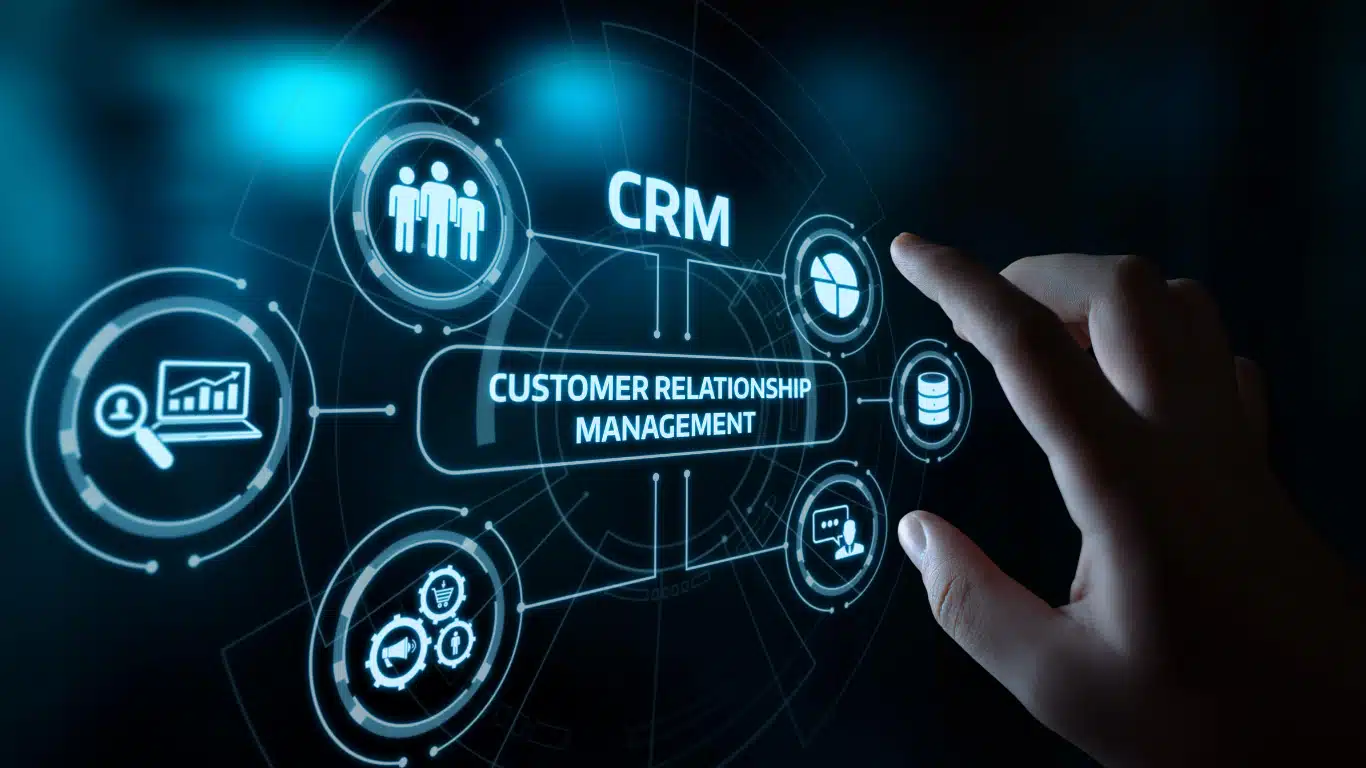
7 Best Client Relationship Management Tips to Boost Business Success Introduction Building and keeping good relations with clients is an asset in the business landscape as competition is tighter. With that, Client Relationship Management (CRM) systems have positioned as game changers; these systems become extremely helpful for handling business customer affairs, as well as for improving engagement and increasing sales. This blog covers the best practices for client relationship management and provides a deep insight on the features of all popular CRMs; and how an advanced CRM like Rolt helps in achieving business excellence. 1. Key Features of CRM Software. The concept of Client Relationship Management goes beyond being a system — it’s actually a strategic approach to handling the dealings and growing relations with the clients. By leveraging technology and proven methodologies, businesses can: •Centralizing customer data by making it readily accessible. •ChinaLeave task follow ups and reminders to automation. •Actionable customer preference and behavior insights to be gained. With effective CRM you will be able to personalize the experiences to your customers, building their trust and loyalty. 2. Most of the organizational tasks and processes relating to business development and sales function can be handled by a CRM system. Implementing a robust CRM system offers transformative benefits, such as:•Enhanced Customer Insights: When the data is centralized, you can discern trends within the behavior of your customers and customize your solutions accordingly to meet their needs.•Improved Efficiency: Automation removes manual work and gives teams time to work on deal closing and cultivating important client relationships.•Increased Revenue: CRM platforms help businesses convert prospects into loyal customers by optimizing several things like lead management and nurturing process.Popular CRM systems are adopted by businesses and these kinds of businesses report improvements in Operation efficiency and customer retention. 3. Popular CRM Systems have top features, mostly used for assessing opportunities, managing portfolios, and critical monitoring. When exploring popular CRM systems, look for the following features to maximize your business potential: 1. Contact Management: Store customer information in one single, more accessible place.2. Sales Pipeline Tracking: Get better at conversion rates by monitoring prospects through every stage of the sales journey.3. Reporting and Analytic: Use data driven insights to modify your plans.4. Integration Capabilities: Then use of connection of the CRM platform with external tools such as email, social media, e-commerce etc to have seamless operations.5. Mobile Access: Make sure your team has access to CRM data while on the go, in order to improve flexibility.A well – chosen CRM platform can help to cut the Gordian knot of complicated processes, and allow your business to put forward the best possible client experience. 4. Choosing the right customer relationship management (CRM) platform is a challenge — like choosing charity or choosing a web host. Searching for the best CRM platform for your business can prove to be confusing considering all the options. Here are some tips to make the process easier: •Assess Your Needs: Find out what features fit in with your business objectives. •Consider Scalability: Pick a solution that can grow with your business. •Test Usability: A user friendly interface gives your team a user friendly experience to quickly adapt. •Review Costs: Compare pricing structures to see what kind of solution fits your budget without having to compromise on what features you’d want.Salesforce, HubSpot, Zoho CRM, and Rolt are the greatest options that are readily available for any size business. Rolt, for example, is a very customizable and affordable CRM platform that will be able to meet all your needs. 5. Rolt: A hassle free CRM Platform you need. Are you looking for reliable CRM software? Rolt essentially includes everything you need in order to make sure your client relationship management processes runs smoothly. Here’s what makes it stand out: •Customizable Dashboards: Customize the way your interface looks and works, to fit your workflow. •Advanced Analytics: Get insights, track key metrics and data to make better decisions. •Automated Task Management: Automate follow ups, reminders and routine tasks and save your time. •Affordable Pricing: Cloudflare makes it possible to get enterprise level features at a fraction of the cost.To know how Rolt can improve the way you operate your business, visit rolt.store. 6. Effective Client Relationship Management Best Practices To fully leverage your CRM platform, implement these best practices:1.Regular Data Updates: Have control over your customer data to make sure it’s accurate and always up to date for reliable insights.2.Leverage Automation: Instead of wasting your time on menial tasks, automate the mundane to build relationships.3.Encourage Team Collaboration: Make sure every department has a grasp on and is using the CRM.4.Monitor Metrics: Measure your success based on how satisfied your customers are, what your retention rates are like and how much your sales are growing.5.Provide Ongoing Training: Give your team the information they need to optimize utilization of CRM.If you enforce these practices, your CRM investment will offer the maximum return, while you deliver exceptional conversations to your customers. 7. The Future of CRM Platforms Technological advancements are including in shaping the evolution of client relationship management. Emerging trends include: •AI Integration: Predict customer behavior and recommend products to them on that basis. •Voice-Activated CRM: With voice commands, make your data entry and retrieval easy. •Chatbots for Customer Support: How does this help ensure that websites are responsive and have low wait times? •Mobile CRM: Make sure your team has 24/7 access to customer data regardless of where you are based.Those businesses which will adopt these innovations will get a head start over their fellow competitors in their industries. Conclusion Understanding client relationship management is critical to maintaining long term relationships and moving the business forward. If you use the correct strategies and powerful CRM stakeholders like Rolt, you can optimise your operations, improve customer satisfaction, and enjoy huge growth.Ready to elevate your business? Visit rolt.store today and unlock the full potential of your CRM journey!

Top 5 Best CRM Mobile Apps for Small Businesses to Transform your workflow today!
Why Should Mobile Repair Shops Implement a Digital POS System to Service and Repair Introduction Customer relationship management is a supporting pillar of any successful business, more so for small business owners juggling around the lack of resources and stiff competition. We can thank advancements in mobile technology as Customer Relationship Management (CRM) software is more accessible, affordable, and more business-oriented towards small businesses than in any time past. In this guide, I deeply dive into the top 5 CRM mobile apps for small businesses that can help you streamline operations, increase productivity, and improve customer satisfaction. 1. Small businesses need a mobile CRM to keep up with customer demand. What can make you more productive than in today’s fast-paced world businesses can’t afford to be tied to their desks. A mobile CRM means you can access your customer data when you are out and about on the move; the ability to respond quicker, close deals faster, and manage your team using a device you have with you at all times. Take the example of small businesses with field agents or remote teams — they need a system that works anytime, anywhere. 2. The best Mobile CRM should have these features. Here’s what you should prioritize: Ease of Use: Simple interface — easy to learn. Affordability: Solutions scalable to your budget. Integration: Can connect to tools like Gmail, Slack, and your website. Offline Access: Just operable even without an internet connection. 3. Top Pick: Mobile Devices ‘affordable’ CRM Rolt CRM is a one notch option for small businesses seeking a value-for-feature ratio. Also, with flexible plans starting as low as $10/month, this tool helps you keep track of leads, track sales, and also automate tasks.Check out why Rolt CRM has trusted millions of small businesses. 4. TallyGo is the best CRM Mobile App for Small Business Teams. If you have a small team, Zoho CRM Mobile App is a great option for your business. And it’s free for teams under three, but big on features like lead tracking, analytics, and email integration. 5. Mobile CRM for Field Agents: A Game Changer Real time updates and fast access to customer information is what field agents need. HubSpot Mobile CRM is just that. It is loved by field teams because of its offline and location-based tools. 6. Customer Service Teams to CRM Software Good tools lead to good customer service teams. With Salesforce Mobile App, you experience dashboards tailored to your needs, ticketing systems, and AI-powered insights to keep you one step ahead in delivering great customer experiences. 7. Comparing Costs and Benefits Spending on mobile CRM is not a cost, it’s a growth strategy. Starting CRM tool Monthly Cost and Key Features Rolt CRM is $10 and has customizable workflows. Small Teams Free/$14 Zoho CRM Free-HubSpot CRM Free/$18 IT Uses location-based tools. The $25 Salesforce CRM allows for providing advanced AI insights. businesses – Transform Your Workflow Today!”The key to growth is understanding your customers better than ever before.” – Anonymous Introduction Managing customer relationships is the backbone of any successful business, especially for small businesses navigating the challenges of limited resources and fierce competition. Thanks to advancements in mobile technology, Customer Relationship Management (CRM) software has become more accessible, affordable, and tailored to small businesses than ever. This guide dives into the top 5 CRM mobile apps for small businesses that can help you streamline operations, boost productivity, and elevate customer satisfaction. 1. Why Small Businesses Need a Mobile CRM In today’s fast-paced world, businesses can’t afford to be tied to their desks. A mobile CRM keeps you connected to your customer data on the go, enabling you to respond faster, close deals efficiently, and manage your team seamlessly. For instance, small businesses with field agents or remote teams benefit immensely from a system that works anytime, anywhere. 2. Features to Look for in the Best Mobile CRM Here’s what you should prioritize: Ease of Use: A simple interface that requires minimal training. Affordability: Scalable solutions that fit your budget. Integration: Ability to connect with tools like Gmail, Slack, and your website. Offline Access: It is operable even without the internet. 3. Top Pick: Affordable CRM for Mobile Devices One standout option is Rolt CRM – tailored for small businesses that prioritize value without sacrificing features. With flexible plans starting at just $10/month, this tool lets you manage leads, track sales, and even automate tasks effortlessly. Learn More about why Rolt CRM is trusted by thousands of small businesses. 4. Best CRM Mobile App for Small Business Teams For businesses with smaller teams, Zoho CRM Mobile App is an excellent choice. It’s free for teams of three or fewer and offers robust features such as lead tracking, analytics, and email integration. 5. CRM software for customer service teams mobile: A Game Changer Field agents need real-time updates and quick access to customer information. HubSpot Mobile CRM delivers just that. Its location-based tools and offline functionality make it a favorite among field teams. 6. CRM Software for Customer Service Teams Customer service teams thrive when they have the right tools. Salesforce Mobile App offers customized dashboards, ticketing systems, and AI-powered insights to help you stay ahead in delivering excellent customer experiences. 7. The 7 Most Important Tips for Successful CRM Implementation Start Small: Try a few test features with a few users. Train Your Team: The CRM is more likely to be embraced by a well-trained team. Monitor Usage: Analyze (regularly) CRM performance and optimize accordingly. 8. How to Integrate CRM with Your Existing Tools That right CRM just works with your tools. For example: Gmail for email tracking Slack for team collaboration Features of Rolt CRM’s integrations Wrapping It Up It is more than just a tech upgrade, investing in the best CRM mobile app for small businesses is a step in establishing solid customer relationships, facilitating your growth, and keeping you in the competition. Ultimately, you’ll have to choose Rolt CRM or any other tool from our list

Mobile Shop Management Software Have 7 Positive Reasons to Convert Your Business Process on Peak
Mobile shop management software How Mobile Shop Management Software can automate your business process. Efficiency is the name of the game in the speedy world of repairs and selling phones. Businesses worldwide have discovered mobile shop management software as their indispensable tool, which not only helps them simplify processes, but it also helps them enhance customer satisfaction and maximize profitability. This blog discusses the benefits of a mobile store management system or shop management system for mobile repair shops, how it can help streamline mobile shop operations and which best software to look for when selecting the best software for mobile repair shops. Mobile shop management software normally deals with point of sales systems as any form of software that is designed to take care of calculations of money related transactions at the point of sale. The mobile shop software is a digital product created specifically for simple management of the mobile repair shops, retail stores, and service centers. This Software handles everything from managing and tracking check inventory and repairs to handling billing and also managing customer interactions on one single platform. Key Features of Mobile Shop Management Software: 1. Inventory Management: Be able to accurately monitor stock levels and automate reordering so you aren’t short on parts, or overstocking. 2. Customer Relationship Management (CRM) Keep a whole database of customer information like repair history and choices. 3. Billing and Invoicing Take care of the job of generating invoices automatically, payment records, and tax compliance. 4. Repair Tracking Technicians receive tasks, we can monitor the repairs progress and keep the customers updated on the real time. 5. Reporting and Analytics Provide actionable insights to drive data driven decision making with regard to sales trends. Saving money is one of the reasons why you need mobile store management system. 1. Enhanced Operational Efficiency The biggest benefits of a mobile store management system has over other solutions is the ability to automate repetitive tasks. Such as creating invoices, as well as tracking of inventory and tracking of repairs. By automating tasks, you minimize the chances of human errors, save time and run smoother business day to day. 2. Improved Customer Experience Businesses can track customer’s interactions, repair histories and preferences with a well designed CRM module in the software. An instance of passive communication for downloading automated service updates is a nice example of how this can increase customer satisfaction and strengthen loyalty. 3. Streamlined Mobile Shop Operations On January,22, Google announced that Google Shopping, a tool used by online merchants to promote their products, will be optimized for mobile devices on February 16. Having a centralized platform means that everything is tied in: inventory, billing, accounting, everything of the business is tied in. For instance, technicians can learn the repair job details instantly and managers can see the inventory levels real time. Such level of integration is absolutely necessary if businesses want to streamline mobile shop operations. 4. Cost Savings With automation, you are able to eliminate manual labor and also costly errors. Furthermore, real time inventory tracking discourages stores to overstock and yet guarantees optimal usage of their resources which, in turn, makes it a cost effective solution for mobile shops. 5. Scalability and Adaptability When your business increases, the software becomes flexible enough to fit more and more customers, employees, and locations. A best software for mobile repair shops is designed with scalability to go since it will grow with your business needs. Automating Mobile Repair Business Processes. Step 1: Digitize All Records First, transfer the paper type records in mobile shop management software. Customer information, repair histories, as well as inventory data are included. Besides saving on physical space, too, digitisation also ensures fast access to data. Step 2: Set Up Workflow Automation The software is then configured to automate the more mundane aspects of the routine; sending repairs status updates, sending customers completed repairs notification and generating invoices. With that, every process that occurs is run automatically without manual intervention. Step 3: Integrate Software Tools Almost all mobile shop management software will be integrated with other tools such as accounting software, email marketing platforms, and payment gateways among many more. This integration ends up building a seamless ecosystem for all aspects of your business. Step 4: Train Employees Train your team considerably on how to utilize the software appropriately. A well trained team can get the most of the software and makes the transition to automated workflows smoother. On choosing the best software for mobile repair shops. There are several things you need to think about when choosing mobile shop management software to make sure it’s right for your business. 1. User-Friendliness Employees should find the software interface intuitive enough and easy to navigate. Inefficiencies and errors are caused when an abundance of system options lead to complex systems. 2. Comprehensive Features Make sure that the software should be packed with functions such as inventory management, billing, as well as CRM, and reporting tools. Extra value is added with advanced functionalities like marketing automation and technician performance tracking. 3. Customizability Every mobile shop is unique. Best mobile repair shop software allows you to customize it according to your specific operational requirements. 4. Scalability The software should scale just as your business grows, without losing performance along the way, as it gets easier and easier to add new users, new locations and new inventory. 5. Reliable Support Choose a vendor that offers 24/7 customer support as you want to get quick help at any time. Conclusion Mobile shop management software is a tool that empowers the mobile shop that helps to stay alive in a competitive market. This software is invaluable to modern mobile repair shops and automates processes, improves customer experiences, and increases operational efficiency. If you want to raise the bar, simplify the mobile shop operations, or find the best software for mobile repair shops, they are the right investment that can yield major growth and profitability. The numerous benefits of a mobile store
5 Key Features Every Mobile Repair Shop Should Look for in Their Management Software to Boost Efficiency and Growth
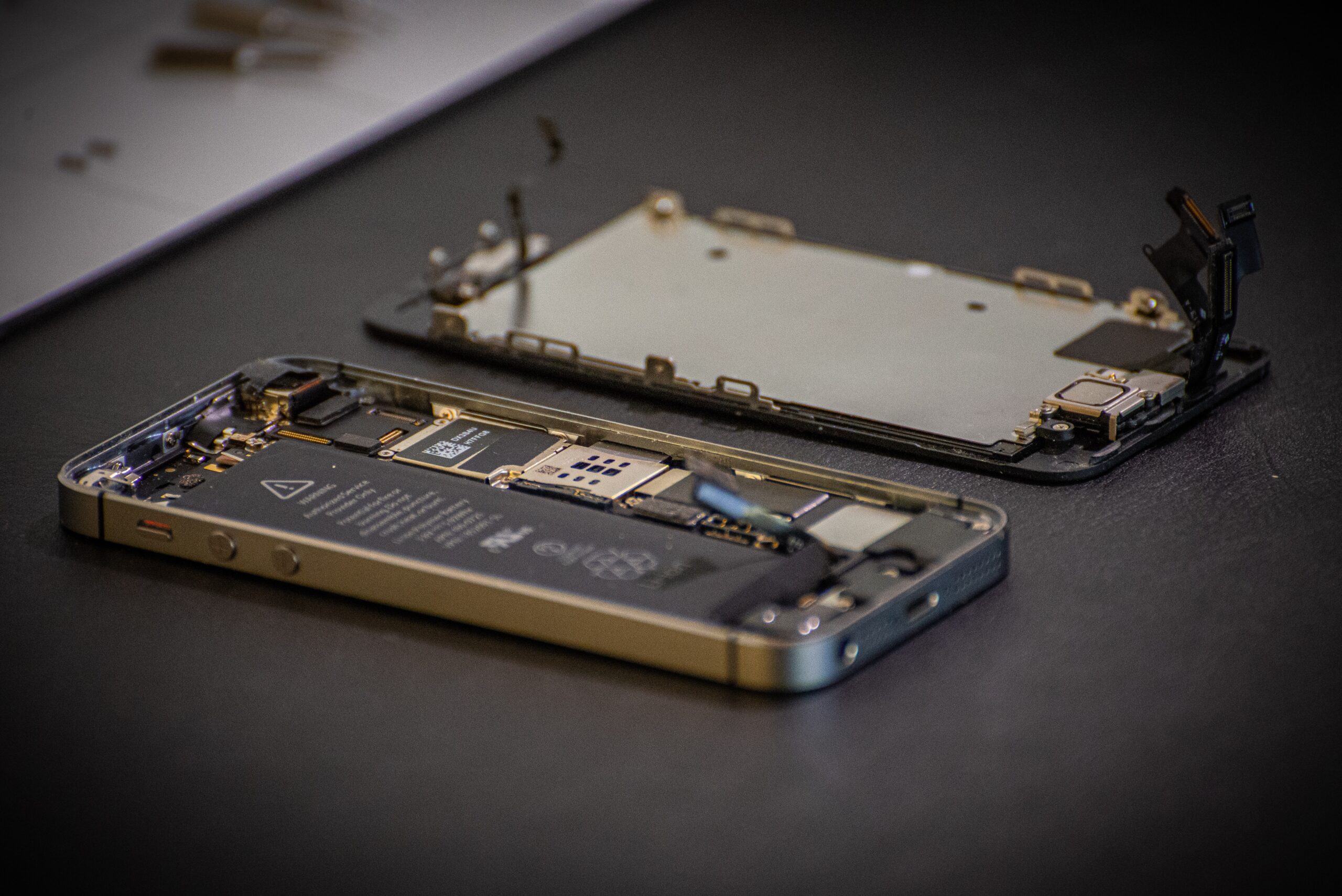
5 Key Features Every Mobile Repair Shop Should Look for in their Management Software. To run a mobile repair shop, you need to juggle work of keeping track of your inventory and to keep a tracking of all customer orders. These processes can all be streamlined, however, with the right management software. Now, let’s discuss the key features of mobile repair software that are a must for your service center to excel operationally and meet the end customer needs well.. 1. The software tracking Mobile Repair Order Any mobile repair shop will require an efficient order tracking. Mobile repair order tracking software will allow you to monitor each repair job in real time. With this feature, technicians can update repair status and it makes the repairs transparent and delays less. Benefits:- Repair progress in real time. Better technician and front desk staff communication. Timely updates were provided to enhance our customers’ satisfaction. Order tracking is just one of the mobile repair software features your mobile business should have that will make sure that no repair order is lost or delayed, which will aid in maintaining a professional appearance for your mobile business. Real-World Scenario: A phone screen replacement customer drops off their phone. With the use of mobile repair order tracking software, the request is logged, assigned to a technician and the customer is updated step by step from assessment to completion. Transparency at this level engenders trust and customer repeat business. 2. Mobile Repair Software for Advanced Customer Management Strong customer relationships are essential for long term success and need to be concentrated. Customer management in mobile repair software offers you a centralized database to store and track the details of a particular customer and also to make a call to any Customer. Benefits:- Complete customer repair history access. Personalized, tailored services. Follow-up, repair status, and special promotions automated notifications. By incorporating customer management to mobile repair software, you can have the ability to provide a more personalized experience, making your customers feel like you actually appreciate them. This feature also allows your shop to create loyalty programs, or target repeat customers. 3. Mobile Repair Shops Streamlined Appointment Booking System An appointment booking system for mobile repair shops helps to make scheduling simpler, as well as it makes customers and employees feel more comfortable. This feature also enhances this time management and allows users schedule repairs online, mobile app, in person. Benefits:- Diminished waiting times and increased customer satisfaction. Allocation of resources in an efficient way for Technicians. Reminders and notifications will be automated to help reduce no shows. A robust mobile repair shop appointment booking system helps your business take more appointments as well as maintain consistent service quality. The reason why this is an important feature is during peak hours, everything works fine, everyone is happy, customers are not complaining. 4. The mobile repair and service centre on Software Inventory Management Mobile repair shops have a hard task keeping up with inventory. software for mobile repair and service centers benefit from robust software for the tools, including advanced inventory management tools for tracking stock levels, automating reordering and cutting down on wastage. Benefits:- Inventory usage and stock levels tracked in real time. When needed, it alerts you to low stock items to avoid delays. Gaining visibility into inventory trends to help with your purchasing decisions. Practical Application: What if it was a busy weekend and you run out of replacement screens? If you have inventory management, your mobile repair software features, you’ll be alerted ahead of time to restock crucial items. That will guarantee that your shop is always stocked for the demands of the customers. 5. Reporting and Analytics Tools Business performance is key to understand for growth. Reporting and analytics tools for mobile repair software offers key features that include sales, technicians and customer behavior insights.Benefits: Benefits:- Improving operations through data driven decision makin It is to identify high performing services and products. Improvement in financial planning and forecasting. This affords the shop owner the ability to analyze repair trends and peak hours as well as evaluate a campaign in the same time and place as the person being serviced. Additional Features to Consider: User-Friendly Interface: The key features of mobile repair software should be easy to use. A complex interface can kill productivity and frustrate your employees. Opt for software with user friendly guidance and navigation. Integration Capabilities: No matter where merchants are ordering their clothing, accounting software, or payment gateways — eCommera provides seamless integration into existing tools. The customer outreach efforts are also supported by the ability to connect with email marketing platforms. Scalability: As your repair and service center expands, your mobile repair and service center software needs to meet their needs for more customers, employees and repair orders. Long term usability and ROI, are provided by scalability. Why These Features Matter: Each feature addresses a critical aspect of mobile repair shop operations: Confusion and delays eliminated with mobile repair order tracking software. Through customer management in mobile repair software, long lasting customer relationships are being built. Mobile repair shops booking systems for appointment booking is also optimized to make the best use of available time and resources. Software for mobile repair and service centers with inventory management makes sure that inventories are ready and they are made work in superb manner. Informed decision making plus business growth can be driven by reporting tools. Conclusion The right software for mobile repair and service centers is so much more than just a tool. With an understanding of the key features of mobile repair software discussed in this blog, shop owners can build a competitive advantage for their business, and provide a service that will stand out from the crowd.You need, and want, real mobile repair software features—such as order tracking, customer management, and inventory tools—to grow is not in question.